The Ultimate Solo Travel Packing List: A Modular Checklist

TrekGuider @trekguider
Staring at an empty suitcase can be overwhelming. This is not another generic article; this is your definitive, actionable solo travel packing list. It’s a methodical system designed to transform packing from a chore into an act of empowerment. We’ve built this checklist on a "Core + Modules" framework: a non-negotiable foundation of essentials, plus optional modules you can add for specific types of travel.
This tactical checklist is your "what." Before you dive into the specific items, we highly recommend reading our guide to to understand the minimalist systems and philosophy that make this list so powerful. Understanding the "why" will make packing the "what" intuitive and stress-free.
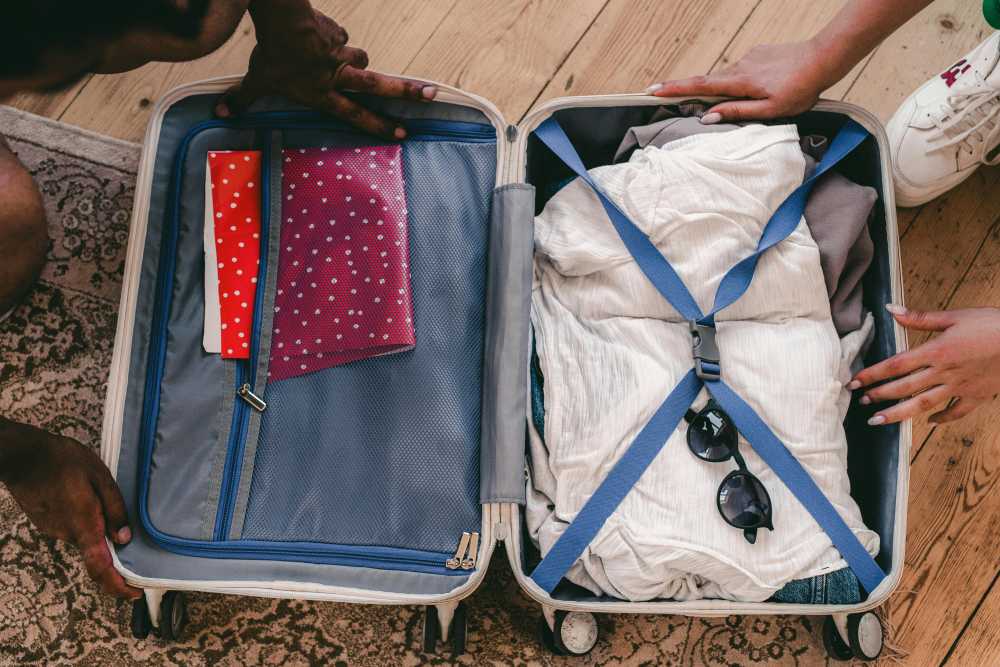
Your Core Essentials
Every trip, regardless of destination or duration, starts here. These are the non-negotiable items that form the base of any smart solo travel plan. Do not leave home without them.
Your Access to Everything
Your ability to move, transact, and prove your identity matters most. Build redundancy into your document strategy.
Passport/Visa: Check that your passport has at least six months of validity from your planned return date.
Digital & Physical Copies: Store a physical photocopy of your passport and driver's license in a separate bag from the originals. Keep high-quality photos of them in a secure cloud service (Google Drive, Dropbox) and in your email.
Travel Insurance Details: Carry a printed copy of your policy and save a PDF to your phone for offline access.
Multiple Bank Cards: Pack at least two different credit cards and one debit card. Store them in separate locations (e.g., one in your wallet, one in your daypack).
Emergency Cash: Hide $100-$200 USD deep within your main bag as a final safety net.
Bank Travel Notifications: Log into your banking apps and set a travel notice for your specific destinations and dates. This five-minute task prevents your accounts from being frozen for suspected fraud.
Your On-the-Go Wellness Kit
Stay healthy and comfortable on the road. The goal is a compact, leak-proof, and comprehensive kit.
Prescription Medications: Pack enough for your entire trip in their original, labeled containers. Bring a copy of the prescription itself.
Mini First-Aid Kit:
Pain relievers (Ibuprofen/Acetaminophen)
Assorted adhesive bandages
Antiseptic wipes
Blister treatment (e.g., Compeed)
Anti-diarrhea medication (e.g., Imodium)
Solid Toiletries: The ultimate packing hack. Eliminates liquid restrictions, prevents leaks, and lasts longer.
Solid shampoo bar
Solid conditioner bar
Solid soap bar
The Basics:
Toothbrush
Solid toothpaste tablets
Deodorant
Your Digital Lifeline
Your smartphone is your navigator, translator, and connection to the world. Keeping it powered is mission-critical.
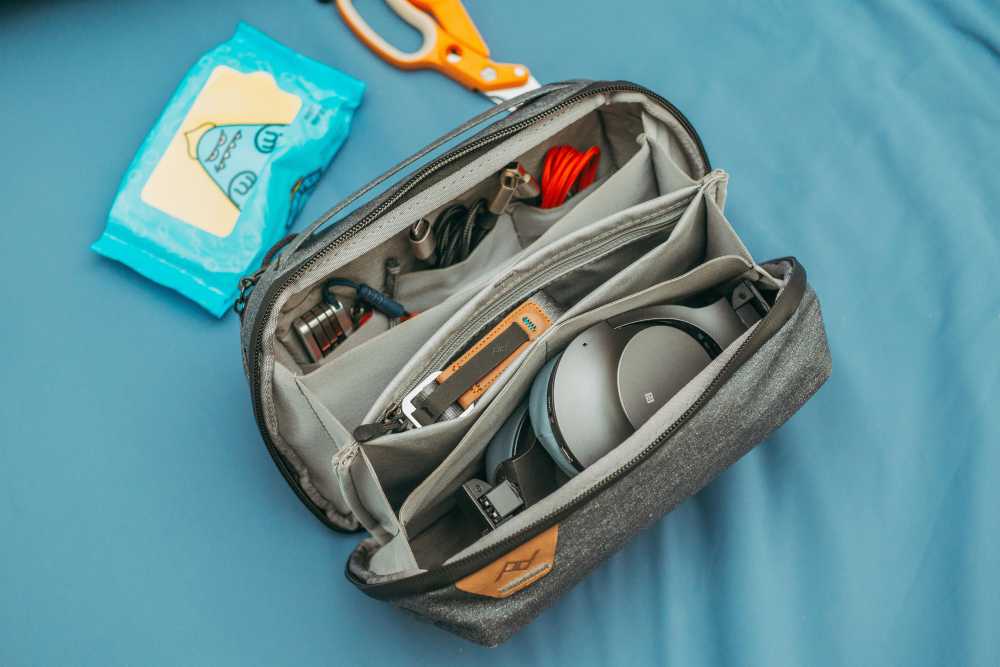
Smartphone: Your all-in-one command center. Download offline maps for your destination.
Portable Power Bank: A non-negotiable safety item. Choose a 10,000mAh+ model from a reliable brand like Anker to guarantee 2-3 full phone charges. Keep it charged.
Universal Power Adapter: Invest in one high-quality universal adapter with multiple USB ports. This allows you to charge all your devices from a single outlet.
Noise-Canceling Headphones: Essential for focus and peace on loud flights, trains, or in shared hostel rooms.

Essential Solo Travel Safety Gear
This module proactively addresses the "what-if" scenarios, allowing you to explore with confidence and sleep soundly. The gear here is your first line of defense, but true confidence comes from preparation. For a complete guide to situational awareness and navigating new environments securely, our comprehensive article, Anxious to Adventurous: Solo Travel Tips for Confidence, is required reading.
For Your Accommodation
Portable Door Lock (e.g., Addalock): A small, lightweight device that braces your door from the inside, making it impossible to open even with a key.
Door Stop Alarm: A wedge that slides under your door. If opened, it physically blocks the door while emitting a piercingly loud alarm.
For When You're Out & About
Anti-Theft Daypack (e.g., Pacsafe, Travelon): Choose a crossbody bag or backpack with slash-proof straps, lockable zippers, and RFID-blocking pockets.
Personal Safety Alarm: A keychain device that emits an ear-splitting siren and flashing strobe light to attract attention and disorient an attacker.
RFID-Blocking Wallet: Protects your passport and credit cards from electronic "skimming."
The 5-4-3-2-1 Formula
Pack less and wear more with a strategic, versatile wardrobe built on mix-and-match essentials. Choose a neutral color palette (black, gray, navy) for core items.
The 5-4-3-2-1 Formula (1-Week Framework)
5 Tops: Focus on wrinkle-resistant, odor-resistant fabrics. At least one should be merino wool—the ultimate travel fabric for temperature regulation and multi-day wear.
4 Bottoms: A typical mix includes one pair of comfortable travel pants, one pair of jeans or chinos, and one skirt or pair of shorts.
3 Accessories: A lightweight scarf or sarong is incredibly versatile (fashion, beach cover-up, towel, head covering).
2 Pairs of Shoes:
Pair 1: Supremely comfortable, broken-in walking shoes.
Pair 2: A versatile, slightly dressier option (flats, loafers, clean leather sneakers).
1 Jacket: A waterproof, windproof outer shell. Layer with a fleece or sweater for warmth as needed.
Climate Sub-Modules (Choose One)
Cold Climate Add-ons: One set of thermal base layers (top and bottom), a warm hat, gloves, and wool socks.
Tropical Climate Add-ons: A swimsuit, a quick-dry microfiber towel, a wide-brimmed sun hat, and sunglasses.
Digital Nomad's Checklist
This module is for anyone working on the road. It focuses on creating an efficient, ergonomic, and connected remote workstation.

Lightweight Laptop: An ultrabook (e.g., MacBook Air) offers the best balance of power and portability.
Portable Laptop Stand (e.g., Roost, Nexstand): The single best way to prevent neck and back pain.
Ergonomic Peripherals: A slim, portable keyboard (e.g., Logitech K380) and a portable mouse (e.g., Logitech MX Anywhere).
High-Quality Headphones with Mic: Essential for calls and focus in noisy environments.
eSIM: Use an app like Airalo to purchase and install a digital SIM card before you leave. Get connected the moment you land.
High-Capacity "PD" Power Bank: Ensure your power bank is "Power Delivery" rated and has enough capacity to charge your laptop, not just your phone.
What NOT to Pack
Knowing what to leave behind is as important as knowing what to bring.

Expensive or Sentimental Jewelry: Don't bring anything you would be devastated to lose.
Full-Sized Towel: Most accommodations provide them. If needed, a quick-dry travel towel is a superior option.
Multiple "Good" Outfits: Stick to versatile pieces that can be dressed up or down.
Physical Books: An e-reader provides an entire library at a fraction of the weight.
"Just in Case" Items: Unless you're traveling to a very remote location, you can buy most basic items at your destination.
Your Questions Answered
What should a solo female traveler add? Many add a versatile sarong (for modesty at religious sites), a silicone doorstop for extra security, and some opt for a fake wedding ring to deter unwanted attention.
How do I pack for a long-term trip in a carry-on? Commit to doing laundry. Pack one week's worth of clothing using the capsule method and plan to do laundry every 7-10 days.
What are the best shoes for solo travel? The ones you can walk in comfortably for 8+ hours. Never bring new, unbroken-in shoes on a trip.

By starting with the Core Essentials and adding modules tailored to your journey, you have now built the perfect solo travel packing list. This system eliminates guesswork, ensures you are prepared for your adventure, and empowers you to travel with the confidence of a pro.
Read the full guide: Anxious to Adventurous: The Ultimate Guide to Solo Travel Confidence
Don't Miss Out! Subscribe for Exclusive Content
Subscribe



Comments 0
No comments yet
Be the first to share your experience!
Dont Miss Out! Subscribe for Exclusive Content

Ultimate USA Holidays Guide: Top Picks

FTC Affiliate Disclosure Essentials: Stay Compliant as a Travel Creator

Essential Affiliate Tools: From Tracking to Full Optimization

Booking.com Affiliate Program Review: Pros, Cons, and Earnings Potential
Decoding Affiliate Commission Rates: Benchmarks for Travel Creators
Amazon Associates for Travel: Strategies to Maximize Commissions
Amazon Associates for Travel: Strategies to Maximize Commissions
TrekGuider @trekguider
Let’s be blunt: the Amazon Associates program feels like a paradox. On one hand, it’s the undisputed titan of e-commerce, a platform your audience uses weekly, if not daily. On the other, its core metrics—a paltry 3-4% commission for most travel gear and a 24-hour cookie—seem purpose-built to underwhelm.
This isn't just a feeling; it's a business problem that breeds frustration. You see the industry reports—the affiliate marketing market soaring past $93 billion, with travel creators hitting a reported average of $13,847 a month—and it feels like your Amazon efforts are a high-effort, low-reward distraction. You’re stuck in a cycle of creating content for a platform that seems designed to underpay you, leaving a fortune on the table.
This guide is your way out of that cycle. This is a hyper-focused masterclass on transforming Amazon Associates from a minor annoyance into a consistent and significant revenue stream. We’re moving beyond the basics to deliver advanced, actionable strategies tailored specifically for amazon associates for travel bloggers. You will learn to master high-conversion gear lists, use the SiteStripe tool for maximum efficiency, and navigate the treacherous waters of Amazon’s Terms of Service to build a bulletproof and profitable system, a topic we deconstruct from every angle in our definitive command center for the entire affiliate ecosystem: Travel Affiliate Programs: The 2026 Ultimate Guide.

The Amazon Paradox: Why a Low-Commission Program is a Top Earner
At first glance, the program’s core metrics are discouraging. So why is Amazon Associates an essential, non-negotiable tool for virtually every top-earning travel creator?
The answer lies in two powerful forces: universal trust and the strategic magic of the 24-hour universal cookie.
First, you don’t have to sell your audience on the legitimacy of Amazon. They already have an account, their credit card is saved, and they trust the platform implicitly. This pre-existing brand equity dramatically reduces friction and leads to higher conversion rates than almost any other retailer.
Second, and most importantly, is the secret weapon: the 24-hour universal cookie. When a reader clicks your affiliate link for a travel adapter, a tracking cookie is placed on their browser. For the next 24 hours, you earn a commission on everything they add to their cart and purchase, not just the travel adapter.
Here’s how this plays out in the real world:
A reader clicks your link for a $15 travel adapter.
While on Amazon, they remember they also need a new $400 camera for their trip, a $150 suitcase, and $50 worth of toiletries.
They add it all to their cart and check out.
You don’t earn a commission on just the $15 adapter. You earn a commission on the entire $615 cart. This is the hidden engine that turns tiny clicks into substantial payouts. Your job isn’t just to sell a single product; it’s to open the 24-hour window.
Strategy 1: Master High-Conversion Content
Because the cookie window is so short, your content must be engineered to capture a user who is in the final stages of planning and ready to buy. Generic travelogues won’t cut it. Your focus must be on creating hyper-specific, product-focused content that solves an immediate purchasing need.

The Power of the Hyper-Specific Gear List
This is your bread and butter. But you must move beyond the generic "My Ultimate Packing List." The key to success is targeting long-tail keywords that attract a user with a very specific problem. Instead of competing with a million other packing lists, you become the definitive resource for a targeted niche.
Instead of: "My Packing List"
Target: "What to Pack for a Two-Week Safari in Tanzania"
Instead of: "Best Travel Cameras"
Target: "Best Vlogging Cameras and Mics for YouTube Travel Channels"
Instead of: "What to Wear in Europe"
Target: "What to Wear in Italy in October (That Isn't Jeans)"
These posts attract highly motivated buyers and are far less competitive to rank for in Google.
The "What's In My Bag?" Post
This is a classic for a reason: it works. This format allows you to showcase your gear in an authentic, personal context. The key is to use your own high-quality photos. Show the gear in use, show it laid out, and explain why each item has earned its place in your bag. This builds immense trust and makes your recommendations feel like they’re coming from a savvy friend, not a salesperson.
The Standalone Product Review
Reserve these for key, high-value, or truly exceptional pieces of gear that are central to your niche. If you are an adventure travel blogger, a deep-dive review of your favorite hiking boots or travel backpack can become an evergreen asset that earns commissions for years. Go into excruciating detail, share your real-world experiences, and include plenty of authentic photos and videos.
Strategy 2: The SiteStripe Workflow for Maximum Efficiency
One of the biggest hurdles to effectively monetizing with Amazon is the time it takes to generate links. Logging into your dashboard, searching for a product, and creating a custom link is a slow, clunky process. This is where mastering the Amazon SiteStripe is a game-changer.
SiteStripe is a free, official toolbar from Amazon that appears at the top of your browser whenever you’re logged into your Associates account and browsing Amazon.com. It allows you to generate a custom affiliate link for any product page with a single click.

Your High-Speed Workflow:
Find the Product: Navigate to the exact product page you want to recommend on Amazon.
Click to Generate: At the top of the page, use the SiteStripe toolbar to instantly get a link. You can choose:
Text: A clean, short amzn.to link.
Image: An image-based link with your tracking ID embedded.
Text + Image: A rich-text box with both the image and a text link.
Copy and Paste: Paste the link or code directly into your blog post.
What used to be a five-minute process now takes five seconds. This efficiency is critical. It allows you to quickly and easily add affiliate links to all relevant content, ensuring you never miss an opportunity to monetize.
Pro-Tip: Use SiteStripe to quickly grab image links. Product images hosted by Amazon are high-quality and load quickly. Using these official image links is often better than uploading your own product photos (for non-personal shots) and can help improve your page load speed.
Strategy 3: Build a Bulletproof System with TOS Mastery
Amazon is notoriously strict, and getting banned from the Associates program is a real risk. An accidental violation of their extensive Terms of Service (TOS) can result in the immediate termination of your account and the forfeiture of all your hard-earned commissions. Protecting your account matters most for any serious amazon associates for travel bloggers.

While you must read the full Associates Program Policies, here are the most common and critical violations that travel creators unwittingly commit:
Never Use Links in Emails: This is a cardinal sin. Amazon strictly forbids the use of affiliate links in any offline manner, including emails, newsletters, PDFs, or e-books. Always link from your email to a page on your blog, and place the Amazon links there.
Don't Cloak Your Links: While link cloaking is a best practice for most affiliate programs, Amazon has specific rules against it. They must be able to clearly identify that the link is coming from your site. Using a standard amzn.to short link generated by SiteStripe is always the safest bet.
Never Mention Specific Prices: Prices on Amazon fluctuate constantly. Stating a price in your article ("This backpack costs $199") is a violation because it can quickly become inaccurate. Instead, use a call-to-action like, "Check the latest price on Amazon."
Disclose, Disclose, Disclose: You must have a clear FTC disclosure on your site. Amazon also requires specific language: "As an Amazon Associate, I earn from qualifying purchases." This should be easily visible on your site.
Comply with Google's Rules: Beyond Amazon's rules, you must also comply with Google's. All paid links, including affiliate links, must use the rel="sponsored" HTML attribute. This signals to search engines that the link is commercial. Thankfully, most modern link management plugins can add this tag automatically, but it is your responsibility to ensure it’s there.
The Professional's Playbook: The Travel Creator's Toolkit
Mastering Amazon is a critical piece of the puzzle, but it's just one piece. To build a truly professional and profitable content business, you need a complete system. Our ultimate resource bundle, The Travel Creator's Toolkit, is packed with the checklists, content templates, and guides you need to build a resilient and diversified affiliate income stream.
Strategy 4: The Pro-Level Play - Combine Amazon with High-Margin Digital Products
The ultimate strategy for top-earning creators is to use Amazon as a foundational layer in a more sophisticated, diversified income strategy. Amazon is perfect for recommending physical products, but its commissions will never match the profit margins of selling your own digital products.
This is where you combine the high-volume nature of Amazon with the high-margin nature of your own expertise. This is the evolution from affiliate to owner.

The Funnel in Action:
The Blog Post: You write your hyper-specific gear list, "The Ultimate Packing List for a 7-Day Trek in Patagonia."
The Amazon Links: You populate the post with your affiliate links for the perfect hiking boots, waterproof jacket, wool socks, and trekking poles available on Amazon. You solve your reader's immediate gear problem.
The High-Margin Upsell: At the end of the post, you offer the perfect next step. You add a call-to-action that says: "Now that you have the gear, get the complete plan. My premium 'Patagonia Self-Guided Trekking Itinerary' is a downloadable guide with detailed maps, daily schedules, and booking links for all the campsites. Get it now on the TrekGuider Platform."
This is the master strategy. You use Amazon to earn commissions on the "what" (the gear) and then sell your own high-margin product that provides the "how" (the plan). This allows you to fully monetize your expertise and build a business that you control completely.
Frequently Asked Questions (FAQ)
1. Can I use Amazon affiliate links on social media like Instagram or Pinterest? Yes, but with extreme caution. You must use the special links generated through the Amazon mobile app's "Mobile GetLink" feature or SiteStripe. You also must clearly identify yourself as an Amazon Associate on the social media profile where the links are shared. Most importantly, the link cannot be on a page that is "behind a gate" (like a private Facebook group).
2. What happens if a product I link to is out of stock? The link will still work and the 24-hour cookie will still be set. If the customer buys something else on Amazon during that window, you will still earn a commission. However, it creates a poor user experience. It's good practice to periodically check your top-performing links to ensure the products are still available.
3. How do I handle international traffic? My readers are from all over the world? This is a critical issue for travel creators. By default, a link to Amazon.com will only earn you a commission if the purchase is made on the US store. To monetize your global audience, you must use a link localization service. Amazon has its own called "OneLink," which can automatically redirect your international visitors to their local Amazon storefront. Third-party services like Geniuslink (Geni.us) offer more advanced features and are very popular with professional affiliates.
Your Blueprint for Amazon Mastery
Stop thinking of Amazon Associates as a low-paying chore. Start seeing it for what it is: a high-volume conversion machine that, when used strategically, can become a powerful and reliable pillar of your income. The key is not to focus on the low commission rate but to obsess over leveraging the 24-hour universal cookie.
By mastering the strategies for amazon associates for travel bloggers—creating hyper-specific content, working efficiently with SiteStripe, staying relentlessly compliant with the TOS, and layering it with your own high-margin products—you transform the program from a source of frustration into a predictable engine for revenue. This is a foundational skill for any serious travel creator looking to build a diversified and resilient business that can fund their adventures for years to come.
Read the full guide: The Travel Blogger's Playbook to Affiliate Marketing Mastery
Don't Miss Out! Subscribe for Exclusive Content
SubscribeComments 0
No comments yet
Be the first to share your experience!
Dont Miss Out! Subscribe for Exclusive Content
Ultimate USA Holidays Guide: Top Picks
FTC Affiliate Disclosure Essentials: Stay Compliant as a Travel Creator
Essential Affiliate Tools: From Tracking to Full Optimization

Avoid These 5 Affiliate Landing Page Mistakes for Better Conversions
Affiliate Keyword Research Mastery for Travel Blogs
Booking.com Affiliate Program Review: Pros, Cons, and Earnings Potential
Is Public WiFi Safe? How to Protect Your Data Abroad
TrekGuider @trekguider
You’ve just touched down in a new country, a city buzzing with unfamiliar energy. You’re desperate to check the map to your hotel, message family that you’ve arrived safely, or book that last-minute tour. Then you see it, a digital oasis in the chaos of travel: "Free_Airport_WiFi." It feels like a lifesaver. But the moment you connect to that open network, you might as well be shouting your passwords, credit card numbers, and private messages in the middle of a crowded town square.
This isn’t a hypothetical threat; it’s a silent, digital mugging that happens every single day in airports and cafes around the globe. Every unsecured connection is a wide-open door for digital thieves who are masters at exploiting the trust of travelers. They can intercept your data, steal your identity, and drain your bank account before you’ve even claimed your luggage. This menace can cast a shadow of anxiety over your entire trip, turning a tool of convenience into a source of vulnerability.
But it doesn’t have to be this way. This guide is your solution—a simple, non-technical playbook for protecting your digital life abroad. We will demystify the dangers and provide a clear, step-by-step process for using any public network with total confidence. Mastering public wifi safety is a critical skill for the modern traveler and a key part of the masterclass in preparedness we offer in our definitive guide, The Ultimate Guide to Travel Safety: A 2026 Playbook.

The Hidden Danger: What Really Happens on Public WiFi?
The fundamental problem with most public WiFi networks—in cafes, hotels, airports, and libraries—is that they are unencrypted. Think of it like sending a postcard through the mail. Anyone who handles it along the way can read the message written on the back. When you log into your email or check your bank account on an unencrypted network, your data is sent "in the clear," making it trivially easy for a hacker on the same network to intercept and read it.
These hackers don’t need sophisticated government-level equipment. They use readily available software to "sniff" the digital airwaves, plucking your sensitive information out of the stream of data flowing around them. Their primary method for doing this is a shockingly simple and effective strategy known as a "Man-in-the-Middle" attack.
Understanding the "Man-in-the-Middle" Attack
A "Man-in-the-Middle" (MitM) attack is exactly what it sounds like. A hacker secretly positions their computer between your device (your phone or laptop) and the legitimate internet connection point (the WiFi router). You believe you’re communicating directly and securely with the websites you’re visiting, but in reality, the hacker is intercepting, reading, and potentially even altering every piece of information you send and receive.
The most common way they achieve this is through a tactic called a "malicious hotspot" or "evil twin" attack:
The Setup: A hacker sits in a busy airport or coffee shop and sets up a new WiFi network on their laptop. They give it a believable, trustworthy-sounding name, like "Airport_Guest_WiFi" or "Starbucks_Free," often mimicking the name of the legitimate network.
The Connection: Your phone, set to connect to known networks automatically, might connect to this stronger, malicious signal without you even noticing. Or, you might manually select it, assuming it’s the official network.
The Interception: The moment you connect, all of your internet traffic is routed directly through the hacker's computer. They become an invisible eavesdropper on your digital life, capturing your login credentials when you check Facebook, your credit card details when you buy something online, and the contents of your private messages.
To you, the internet works perfectly. You can browse websites and use your apps as usual. You have no idea that a digital thief is silently recording your every move.

Your Digital Bodyguard: The Ultimate Guide to Using a VPN
If an unencrypted network is like sending a postcard, then using a Virtual Private Network (VPN) is like sealing that same message inside a locked, armored briefcase before sending it. A VPN is the single most powerful and essential tool for ensuring your public wifi safety. In simple terms, a VPN is an app for your phone or computer that creates a secure, encrypted tunnel for all your internet traffic, making your data completely unreadable to anyone who tries to intercept it.
When you connect to a VPN, even if you’re on a hacker’s malicious hotspot, all they can see is a stream of indecipherable gibberish. Your passwords, bank details, and messages are completely shielded from prying eyes.
How to Set Up a VPN on Your Smartphone in 4 Simple Steps
You don’t need to be a tech expert to use a VPN. Modern VPN services are designed to be incredibly user-friendly. Here’s a simple, step-by-step guide for any non-technical traveler.
Step 1: Choose and Subscribe to a VPN Service
Before you travel, you need to sign up for a reputable, subscription-based VPN provider. Do some research by reading reviews from trusted tech websites like Wired or The Verge. Crucially, avoid "free" VPN services. These companies have to make money somehow, and they often do it by logging your online activity, selling your data to advertisers, or, in the worst cases, embedding malware in their own software. A paid subscription to a well-known provider is a small investment for ironclad security.
Step 2: Download and Install the VPN App
Once you’ve created an account on the VPN provider’s website, the next step is to get the app on your phone.
On an iPhone: Go to the App Store, search for the name of your chosen VPN (e.g., NordVPN, ExpressVPN, Surfshark), and tap "Get" to download and install it.
On an Android phone: Go to the Google Play Store, search for the name of your VPN provider, and tap "Install."
Step 3: Log In and Grant Permissions
Open the newly installed app. You’ll be prompted to log in using the email and password you created when you subscribed. The very first time you try to connect, the app will ask for permission to add a VPN configuration to your phone's settings. A standard system pop-up from iOS or Android will appear. You must tap "Allow" or "OK." This is a necessary and safe step that allows the app to manage your phone's internet connection.
Step 4: Connect to a VPN Server
This is the easiest part. Most VPN apps are designed for one-tap simplicity.
The app’s main screen will almost always feature a large "Quick Connect" or "Connect" button. Tapping this will automatically connect you to the fastest or nearest server available. For general security on public WiFi, this is all you need to do.
If you want to appear as if you are browsing from a specific country (useful for accessing home-country content), you can tap on the "Locations" or "Servers" list within the app and select a country to connect through.
Once you tap connect, the app will confirm your "Connected" status, and a small VPN icon will appear in your phone’s status bar at the very top of the screen. That’s it. Your internet connection is now fully encrypted and secure.

Pro-Tip: For travelers who work on the road, like digital nomads or content creators, a VPN isn't just a recommendation—it's an essential business tool. Consistent use is key to protecting client data and financial information. This level of professional-grade security is at the heart of the resources we provide in The Travel Creator's Toolkit.
Are You a Travel Creator or Digital Nomad?
Protecting your data is just the beginning. To thrive on the road, you need the right tools for content creation, productivity, and monetization. Our free toolkit has you covered with expert-vetted recommendations for the apps, gear, and platforms that power a successful location-independent career.
Beyond the VPN: 3 Essential Habits for Ironclad Public WiFi Safety
While a VPN is your star player, a few additional habits will complete your digital defense, creating a multi-layered security strategy that protects you from a wider range of threats.
1. Practice Impeccable Device and Password Hygiene
Your first line of defense is the device itself. Before you leave home, make sure your digital house is in order.
Secure Your Devices: Ensure all your devices—laptop, smartphone, tablet—are updated with the latest operating system and security patches. Lock every single device with a strong, complex passphrase or, even better, biometric protection like a fingerprint or facial recognition.
Manage Passwords Securely: Never store passwords in a plain text file on your device. Use a reputable, cloud-based password manager app to generate and store unique, complex passwords for every account.
Perform a Digital "Clean Up": Before you travel, clear your browser's history, cache, and saved passwords. When you return home, make it a habit to change the passwords for any critical accounts you accessed while you were away, especially banking and email.
2. Avoid "Juice Jacking": The Threat of Public USB Ports
Those convenient USB charging stations you see in airports, cafes, and hotel lobbies are a potential security risk. Hackers can modify these public ports in a practice known as "juice jacking," where the USB connection is used not only to charge your device but also to secretly install malware or steal data from it. The data pins on a USB cable can transmit information while the power pins are charging your device.
The solution is simple and non-negotiable: never plug your device directly into a public USB port. Instead, use your own AC power adapter and plug it into a standard electrical outlet, or carry a portable power bank to recharge your devices safely.

3. Beware of Digital Trojan Horses: Untrusted Accessories
This same principle applies to any untrusted digital accessory. If you find a USB drive left behind in a hotel business center or a cafe, do not plug it into your laptop out of curiosity. Criminals sometimes intentionally leave these "bait" drives in public places, loaded with malware that will auto-install the moment it's connected to a computer. Treat any found accessory as a potential threat.
Pro-Tip: Before you leave, do a digital 'pack-up.' Log out of all non-essential apps on your phone and laptop. This reduces your 'attack surface,' meaning that even if your device is compromised, the hacker has access to far less of your personal data.
Public WiFi Safety FAQs
A prepared mind anticipates questions. Here are expert answers to common concerns about staying safe online while traveling.
1. Is WiFi on a plane or in a reputable hotel safer than in a coffee shop?
Not necessarily. While a hotel network may require a password, that doesn't mean the connection itself is encrypted or secure from other guests on the same network. The rule of thumb is to treat any WiFi network you do not personally own and control as untrusted. The same risks of interception and Man-in-the-Middle attacks can apply anywhere, from a budget hostel to a five-star resort. Always use your VPN.
2. Are "Free VPNs" really that bad?
Yes. A reliable VPN service requires significant infrastructure—servers, software development, and security maintenance—which costs money. If a "free" VPN provider isn't charging you a subscription fee, they are making money from you in other ways. Many have been caught logging user activity, selling browsing data to third parties, or even injecting extra ads into your browsing. In the worst cases, the "free VPN" itself is just a front for harvesting your data. A reputable, paid VPN service is a small investment for a massive gain in privacy and security.
3. Can't I just use my phone's cellular data plan instead?
Yes, and you should when possible. Your phone's 4G or 5G cellular data connection is significantly more secure than public WiFi. However, international data roaming charges can be astronomically expensive. Learning to use public WiFi safely is a crucial skill for budget-conscious travelers who need to stay connected without breaking the bank.

Connect with Confidence
Public WiFi is not inherently evil. It is a powerful tool that has become an indispensable part of modern travel. But like any powerful tool, it demands respect and the right safety equipment. The fear and uncertainty surrounding public wifi safety stem from a lack of knowledge, not from an insurmountable threat.
You now possess that knowledge. By understanding the simple risks and adopting the straightforward solutions—led by your essential VPN—you can transform any public hotspot from a potential liability into a trusted resource. You are now equipped to connect with confidence, anywhere in the world, freeing your mind to focus on the adventure in front of you.
This level of digital preparedness is just one part of a truly seamless travel experience. To master every aspect of your journey, from planning and packing to health and logistics, our all-encompassing Travel Guide is the only resource you'll ever need.
Don't Miss Out! Subscribe for Exclusive Content
SubscribeComments 0
No comments yet
Be the first to share your experience!
Dont Miss Out! Subscribe for Exclusive Content

How to Avoid Travel Scams: A Global Guide

A Woman's Guide to Safe Travel: 10 Critical Tips
7 Hotel Safety & Security Tips for Peace of Mind

9 Beach Safety Tips That Could Save Your Life

How to Stay Safe While Hiking: A Hiker's Safety Guide