Email Marketing for Bloggers: A Step-by-Step Playbook

TrekGuider @trekguider
Every creator knows the feeling. You pour a week into a single, well-researched article, hit publish, and watch the initial traffic spike... only for it to fade into the digital silence. Your audience is a ghost, arriving from the ether of a search result only to vanish just as quickly, leaving your business at the mercy of unpredictable algorithms.

This is the fundamental vulnerability of the modern creator. You’re building your brand on “rented land.” A single Google update can obliterate your traffic overnight. A shift in a social media algorithm can make your account virtually invisible. This constant instability is exhausting, and it makes building a sustainable business feel impossible. You’re shouting into the void, hoping someone hears you, instead of having a direct conversation with a community that wants to listen.
This ends today. This is your definitive playbook for building your single most valuable business asset: your email list. We are going to provide a clear, step-by-step system to turn casual website visitors into a loyal, engaged community you own. This is the core engine that powers a modern creator business, a critical strategy we explore in our ultimate guide on How to Make Money Online: A Creator's Guide for 2026. Welcome to your masterclass on email marketing for blogging.
Why Your Email List is Your Most Valuable Business Asset
Before we dive into the "how," you must internalize the "why." In a creator economy projected to swell to nearly $500 billion by 2027, the opportunity is immense. But the data reveals a harsh reality: success is highly stratified, with only about 4% of creators earning over $100,000 a year. The difference is strategy. The top earners operate as "Creator CEOs," and they understand that their email list isn't just another marketing channel; it is the core asset of their entire digital enterprise.
It’s the one audience you truly own.
Think of it as the "Hub-and-Spoke" model of a modern business. Your blog is the hub—the central asset you control. Social media platforms and search engines are the spokes—powerful, but ultimately rented, channels for discovery. The strategic goal of every spoke is to drive traffic back to the hub, where you can convert a fleeting visitor into a permanent member of your community by capturing their email address.

An email list gives you:
Direct, Unfiltered Access: When you send an email, you are not fighting an algorithm for reach. You land directly in your subscriber's inbox, creating a personal and reliable line of communication.
A Loyal Community: Email is an intimate medium. It allows you to build a deep, trust-based relationship with your readers over time, transforming them from passive consumers into true fans.
A Powerful Sales Channel: When it comes time to launch a product or promote an affiliate offer, your email list will be, by far, your highest-converting channel. These are the people who have raised their hands to say they want to hear from you.
In a digital world defined by volatility, your email list is your insurance policy. It is the stable, appreciating asset upon which a durable and profitable business is built.
The Blogger's Email Marketing Funnel: A Step-by-Step Process
Internalizing why this asset is non-negotiable is the first step. Now, let’s build the engine that creates it. An email marketing funnel is simply a system designed to attract subscribers and automatically build a relationship with them. This three-step process is the engine that will power your audience growth.
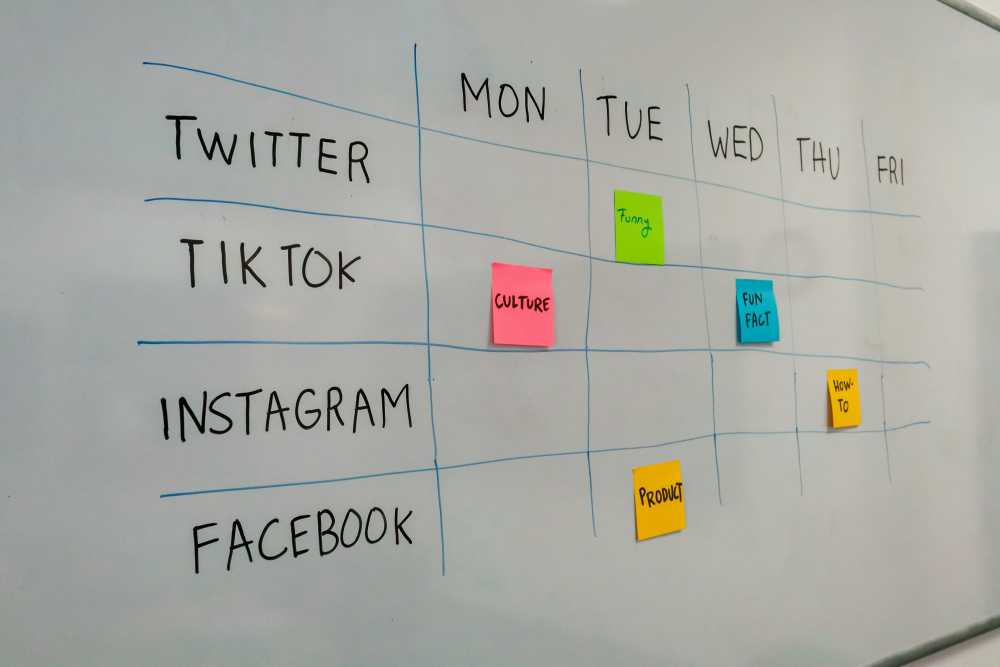
Step 1: Create an Irresistible Lead Magnet
A lead magnet is a free, high-value resource you offer to visitors in exchange for their email address. It must solve a specific, urgent problem for your target audience. The key is to provide a "quick win" that is so valuable, trading an email for it feels like a bargain.
For a travel blog, effective lead magnets include:
A printable packing checklist for a specific destination (e.g., "The Ultimate Southeast Asia Backpacking Checklist").
A short, beautifully designed PDF guide (e.g., "5 Hidden Gems in Paris Most Tourists Miss").
A 3-day itinerary for a popular city.
A plug-and-play template for planning a travel budget.

Pro-Tip: Don't guess what your audience wants. The best lead magnet ideas come directly from your readers. Look at your blog comments, social media DMs, and most popular posts. What questions are people asking over and over? Create a resource that answers that one question perfectly.
The goal is to create something your ideal reader needs right now. It doesn’t have to be long, but it must be incredibly useful.
Your Audience-Building Starter Kit
Creating high-value assets is the core of a modern creator business. To accelerate your journey, we've bundled together some of our most powerful resources. The Travel Creator's Toolkit is a free collection of checklists, templates, and guides designed to help you streamline your workflow and build your business faster.
Step 2: Implement High-Converting Opt-in Forms
Once you have your lead magnet, you need a way to offer it to your website visitors. An opt-in form is the mechanism for capturing their email addresses. Strategic placement is crucial for maximizing your sign-up rate.
Effective placements include:
Embedded Within Relevant Blog Posts: Place a form directly within an article where it makes the most contextual sense. For example, offer your Paris guide in the middle of a post about "What to Do in Paris."
As an Exit-Intent Pop-up: This form appears when a user is about to leave your site, giving you one last chance to offer them your valuable lead magnet.
In Your Blog's Header or Footer: A permanent, site-wide placement ensures every visitor has an opportunity to subscribe.
On a Dedicated Landing Page: Create a simple page whose sole purpose is to promote your lead magnet. This is the page you will link to from social media or other external sources.
Step 3: Master the 3-Part Automated Welcome Sequence
This is the most critical part of your funnel. Once someone subscribes, they should immediately be entered into an automated series of emails. This "welcome sequence" is your opportunity to make a great first impression and begin building a real relationship.
Here is a simple, proven 3-part sequence:
Email 1: Deliver the Goods & Welcome
Objective: Fulfill your promise instantly and set expectations.
Content: The email should have a clear subject line like "Here's your free guide!" and immediately provide the link to download the lead magnet. Welcome the subscriber to your community, briefly re-introduce yourself and your blog's mission, and tell them what to expect from future emails (e.g., "Every Tuesday, I'll send you my best travel tips and stories.").
Email 2: Provide Pure Value & Build Authority
Objective: Establish your expertise and prove that subscribing was a smart decision.
Content: A day or two later, send an email that is purely helpful. Share a personal story or your single best piece of advice related to the lead magnet's topic. Link to 2-3 of your most popular and relevant blog posts. There should be no sales pitch here; this email is all about giving.
Email 3: Engage & Segment
Objective: Encourage interaction and learn more about your new subscriber.
Content: On the final day, send an email that asks a simple, direct question to encourage a reply. For example: "What's the #1 destination on your bucket list? Just hit reply and let me know—I read every response!" This interaction boosts your email deliverability and gives you priceless insight into your audience's desires. This is the relationship that eventually allows you to confidently launch a course or sell your own Travel Guide on a specialized marketplace like TrekGuider.
This automated sequence ensures every new subscriber has a consistent, positive first experience with your brand, turning them from a name on a list into an engaged member of your community.
Choosing Your Platform: A Guide to Email Service Providers
To manage your email list and automations, you'll need an Email Service Provider (ESP). These platforms are the command center for your entire email marketing operation. For beginners, the choice can be overwhelming, but a few stand out for their features and user-friendliness.

MailerLite:
Best For: Beginners on a tight budget.
Pros: MailerLite offers an excellent free plan (up to 500 subscribers) that includes automation and landing pages. Its drag-and-drop editor is one of the most intuitive and beginner-friendly on the market.
Cons: The automation capabilities are less powerful than more advanced platforms, and the account approval process can sometimes be slow.
ConvertKit:
Best For: Serious creators who are ready to invest in their business.
Pros: ConvertKit is built specifically for creators. Its flexible tag-based system allows for powerful audience segmentation, and its visual automation builder is both intuitive and robust. It's the industry standard for professional bloggers for a reason.
Cons: It comes with a higher price point. The free plan is limited, and paid plans are more expensive than competitors as your list grows.
Selzy:
Best For: Beginners who prioritize customer support.
Pros: Selzy offers a user-friendly interface at a competitive price. Its standout feature is 24/7 chat and email support, even for users on the free plan—a huge advantage for beginners who may need help with setup.
Cons: As a newer player, it has fewer native integrations with other software compared to the more established platforms.
Staying Compliant: A Blogger’s Guide to Email Privacy Laws
Effective email marketing for blogging isn't just about strategy; it's about trust and legal compliance. Any blogger collecting email addresses must adhere to data privacy regulations. Failure to do so can result in massive fines and destroy your audience's trust. The two most important laws to understand are CAN-spam (U.S.) and GDPR (E.U.).

Understanding CAN-SPAM (The U.S. Rules)
The CAN-SPAM Act governs all commercial email messages in the United States. Its core requirements are:
Don't use false or misleading header information.
Don't use deceptive subject lines.
Identify the message as an advertisement.
Tell recipients where you're located by including a valid physical postal address.
Provide a clear and conspicuous way to opt out of future emails.
Honor opt-out requests promptly (within 10 business days).
Navigating GDPR (The E.U. Rules)
The General Data Protection Regulation (GDPR) is much stricter and applies to you if you process the personal data of any E.U. citizen, regardless of where your blog is based. Its key principles include:
Explicit Consent: You must have unambiguous, affirmative consent to email someone. This means using unchecked boxes on your sign-up forms. Pre-checked boxes are not compliant.
Right to Access: Subscribers can request a copy of all the personal data you hold on them.
Right to be Forgotten: Subscribers can request that you erase all of their personal data.
Pro-Tip: The easiest way to ensure compliance is to adopt the strictest standard (GDPR) for all subscribers and use a reputable ESP like ConvertKit or MailerLite. These platforms have built-in tools that make compliance, such as adding an unsubscribe link and your physical address, automatic.
Frequently Asked Questions About Email Marketing for Bloggers
1. How often should I email my list?
Consistency is more important than frequency. For most bloggers, a weekly email is a great starting point. It's frequent enough to stay top-of-mind but not so frequent that it becomes overwhelming. The key is to choose a schedule you can stick to and deliver value every single time.
2. What should I write about in my emails?
Your emails should be a mix of personal stories, exclusive tips that aren't on the blog, links to your latest content, and occasional promotions. Use the 80/20 rule: 80% of your content should be purely valuable and relationship-building, while 20% can be promotional. Always ask yourself, "Is this genuinely helpful for my reader?"
3. How long does it take to see results from email marketing?
You will see results immediately in the form of building a valuable asset. However, turning that asset into a significant source of income takes time. The key is to focus on consistently growing your list and nurturing the relationship. When you do that, the monetization will follow naturally as you build trust.
Your Journey to an Owned Audience Starts Now
In the creator economy, your email list is the engine of your business. It is the foundation upon which all other monetization strategies are built. It’s how you build a real community, establish lasting trust, and create a predictable, profitable enterprise that isn't dependent on the whims of an algorithm.
You now have the complete playbook for successful email marketing for blogging. You understand why it’s critical, and you have the step-by-step process to implement your own funnel—from creating a compelling lead magnet to welcoming new subscribers and staying compliant with the law. The path is clear. Take the first step today and start building your most valuable asset.
Read the full guide: The Travel Blog Business Plan: How to Make Real Money in 2026
Don't Miss Out! Subscribe for Exclusive Content
Subscribe



Comments 0
No comments yet
Be the first to share your experience!
Dont Miss Out! Subscribe for Exclusive Content
FTC Affiliate Disclosure Essentials: Stay Compliant as a Travel Creator


Essential Affiliate Tools: From Tracking to Full Optimization

Avoid These 5 Affiliate Landing Page Mistakes for Better Conversions

Affiliate Keyword Research Mastery for Travel Blogs

Booking.com Affiliate Program Review: Pros, Cons, and Earnings Potential
Decoding Affiliate Commission Rates: Benchmarks for Travel Creators
4 Unforgettable National Park Family Travel Ideas
TrekGuider @trekguider
Struggling to find a family vacation that pulls your kids away from screens and creates genuine memories, not just stress? You're not alone. The pressure to plan the perfect, budget-friendly trip often leads to analysis paralysis amid an overwhelming sea of options and the fear of getting it all wrong. This guide cuts through the noise.
This is where the timeless majesty of America’s national parks comes in. They are the ultimate solution—vast playgrounds of natural wonder that offer a powerful antidote to the digital saturation of modern life. Forget generic resort packages; this guide is a strategic playbook for crafting an unforgettable national park adventure. We’ll transform the daunting task of planning into an exciting journey.
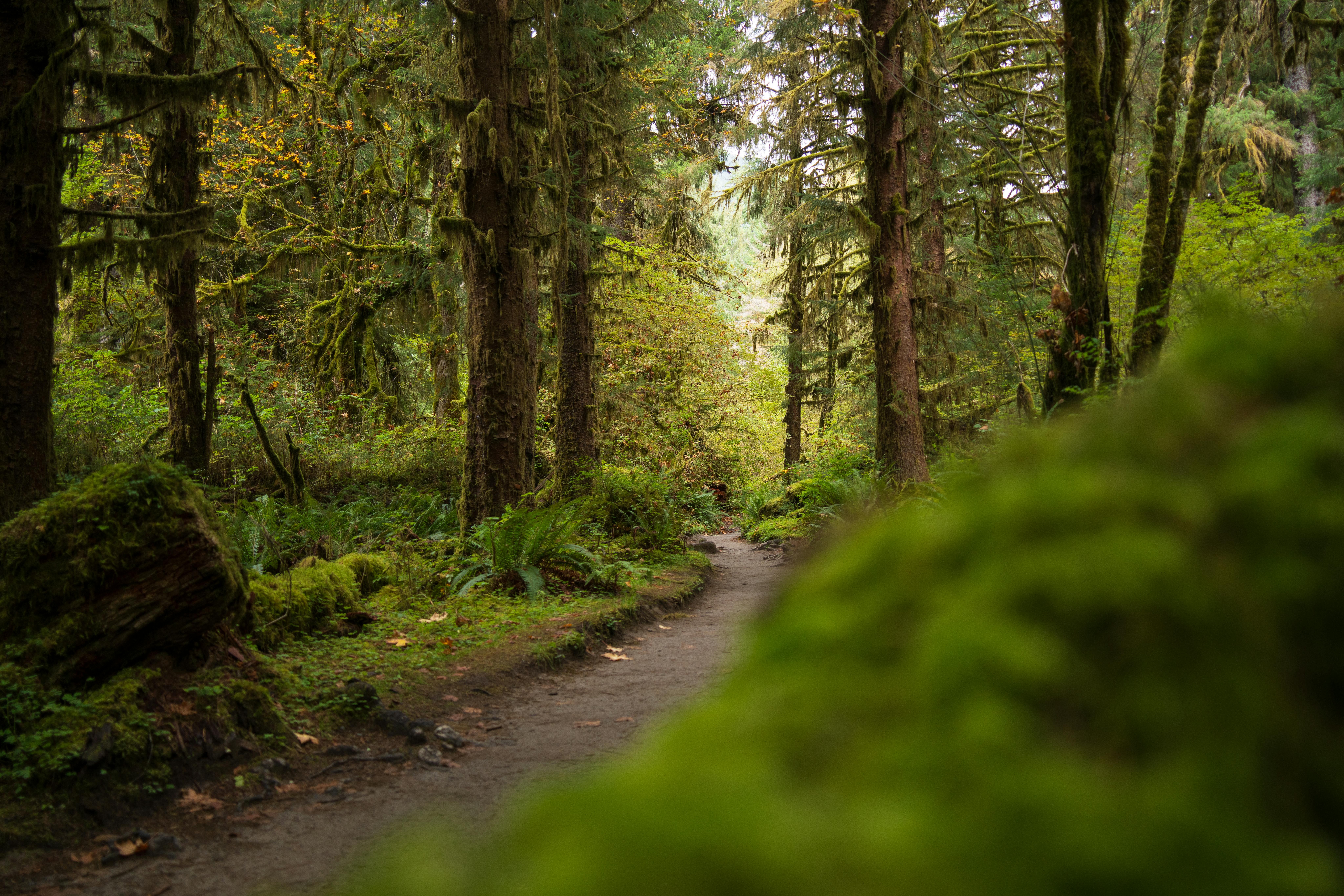
As we explore these specific parks, remember they represent just one path to an amazing trip. For a complete overview of destinations for every budget and travel style, our Family Travel Ideas: The 2026 Guide to Unforgettable Trips is your ultimate resource. This article is your specialized map to sun-drenched trails, awe-inspiring wildlife, and the kind of shared experiences that strengthen family bonds for years to come.
Why National Parks are the Ultimate Family Travel Ideas for Summer
In a world of manufactured entertainment, national parks offer something profoundly real. They are living classrooms, natural gymnasiums, and sanctuaries for the soul. For families, they present a unique opportunity to disconnect from daily routines and reconnect with each other in a meaningful way.
Unmatched Educational Value: Where else can your child see the geological forces that shaped our planet firsthand at the Grand Canyon, or watch a bison herd thunder across the plains of Yellowstone? These parks are immersive, multi-sensory learning environments that bring textbook concepts to vivid life.
Built-in Adventure: From gentle, toddler-friendly nature walks to more challenging hikes for teens, the parks are structured for adventure at every skill level. The thrill is in the discovery—spotting a bald eagle, identifying a new wildflower, or conquering a trail together.
Remarkable Affordability: Compared to theme parks or international travel, a national park vacation can be incredibly budget-friendly. An annual "America the Beautiful" pass grants access to all parks for just $80 per vehicle. With options for camping or lodging in nearby towns, you can tailor the trip to your exact financial comfort level.
A Cure for Nature Deficit Disorder: Experts increasingly recognize that time spent in nature is critical for a child's physical and mental development. It reduces stress, improves focus, and fosters creativity. A week in the woods can be the most effective reset button you’ll ever press for your family.
They are, quite simply, America's best idea, and they are waiting to be the backdrop for your family's next great story.
Your National Park Summer Adventure Playbook
Success in the wild begins with careful planning at home. The immense popularity of national parks during the summer means that spontaneity can lead to sold-out signs and disappointment. Following a proven framework is key to a smooth and memorable trip.
Step 1: The 6-12 Month Countdown - Booking Your Basecamp
Let’s start with a non-negotiable truth: if you only get one thing right in your planning, make it your lodging. In-park accommodations and popular campsites are often booked solid the day they become available, sometimes a full year in advance.

Define Your Lodging Style:
In-Park Lodges: Offer unparalleled convenience and historic charm (think the Old Faithful Inn). They are the most expensive option and require the earliest booking.
Campgrounds: Provide the most immersive nature experience. Services range from primitive sites to full RV hookups. Reservations are typically made through Recreation.gov.
Gateway Towns: Towns just outside park entrances (like West Yellowstone, MT, or Springdale, UT) offer a wide range of hotels, motels, and vacation rentals. They provide more flexibility and amenities but require daily travel into the park.
Set Your Alarms: Identify the exact date and time that reservations open for your target dates and lodging. Be online and ready to book the second they become available.
Have Backup Plans: Research and be ready to book your second and third choices immediately if your first is unavailable.
Pro-Tip: How to Actually Win the Campground Lottery
Booking a popular national park campsite on Recreation.gov is a competitive sport. Here’s how to win: a few days before your booking day, log into your account, find your desired campground, and add it to your cart to confirm the exact release time (usually 10 a.m. ET). On the day, log in 10 minutes early, sync your computer clock to the official U.S. time (time.gov), and have all your information ready. Refresh your screen precisely at the release time and complete the booking in seconds.
Step 2: The 2-3 Month Check-In - Crafting Your Itinerary
With your basecamp secured, you can now build your daily plan. The key is to balance iconic sights with downtime to avoid burnout. Our guide on How to Make Family Travel Planning Actually Easy dives even deeper into this process.
Cluster Your Activities: Parks are huge. Study the park map and group your desired activities by geographic area. Dedicate full days to specific regions, like the Yellowstone Lake area or the Tioga Road in Yosemite, to minimize driving time.
Prioritize the "Must-Sees": Identify the 2-3 iconic experiences your family absolutely cannot miss. Plan to visit these popular spots early in the morning (before 9 a.m.) or later in the afternoon (after 4 p.m.) to avoid the worst crowds and midday heat.
Involve the Kids: Give your children, especially older ones, a voice in the planning. Let them research and choose a specific trail they want to hike or a Ranger Program they want to attend. This ownership fosters excitement and cooperation.
Stay Organized from Start to Finish
A great road trip has a lot of moving parts. Our free checklist is designed to help you track everything from reservations to packing lists, ensuring nothing gets missed.
Download the free National Park Road Trip Checklist
Top National Parks for Summer Family Adventures (And What to Do There)
While every park is special, some are exceptionally well-suited for families during the summer months. Here are our top picks for incredible family travel ideas for summer in the national parks.
Yellowstone National Park: The Geothermal Wonderland
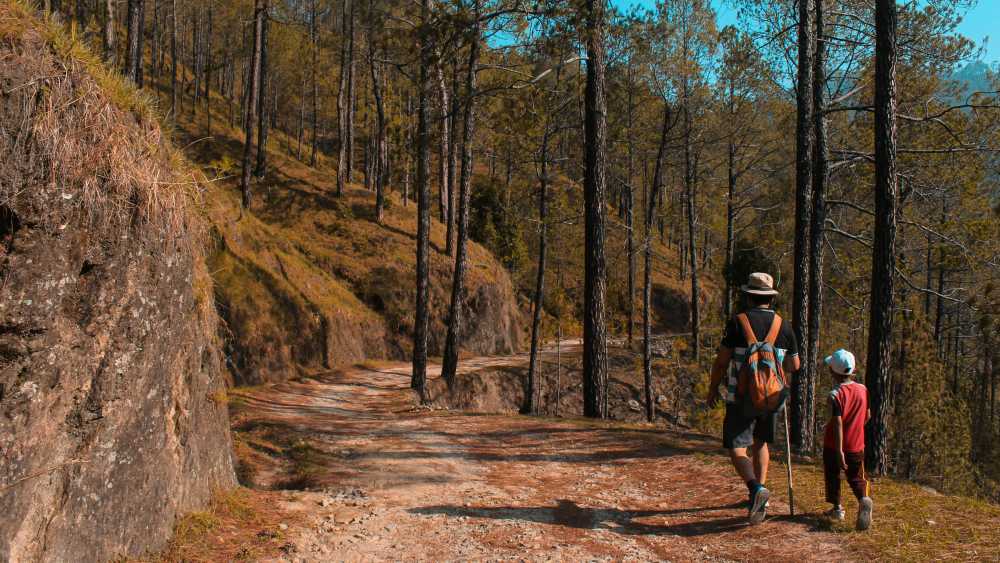
Best For: Ages 6+. The sheer scale and geothermal wonders are captivating for school-aged children and teens.
Can't-Miss Activities:
Watch Old Faithful Erupt: It’s iconic for a reason. Check the posted eruption times and find a spot on the boardwalk.
Explore the Grand Prismatic Spring: The vibrant colors of this massive hot spring are otherworldly. The best view is from the elevated overlook on the Fairy Falls Trail.
Wildlife Safari in Hayden Valley: Drive through this vast, open valley at dawn or dusk for the best chances of spotting bison, elk, grizzly bears, and even wolves.
Kid-Friendly Hike: The Storm Point Loop Trail is a relatively flat 2.3-mile loop that leads through forest to a scenic point on Yellowstone Lake.
Zion National Park: The Majestic Canyon Sanctuary
Best For: All ages, but especially families with active kids and teens.
Can't-Miss Activities:
Ride the Park Shuttle: During peak season, the mandatory shuttle is an experience in itself, offering narrated guidance and stunning views.
Walk The Narrows (Bottom-Up): Wading through the Virgin River in a 1,000-foot-deep canyon is the quintessential Zion experience. Rent proper water shoes from an outfitter in Springdale—it's a game-changer.
Hike to Emerald Pools: This series of trails leads to lush, spring-fed pools and waterfalls. The Lower Pool trail is paved and accessible for strollers.
Kid-Friendly Hike: The Pa'rus Trail is a 3.5-mile paved trail that follows the Virgin River. It's perfect for strollers, wheelchairs, and bikes.
Acadia National Park: The Coastal Gem of New England
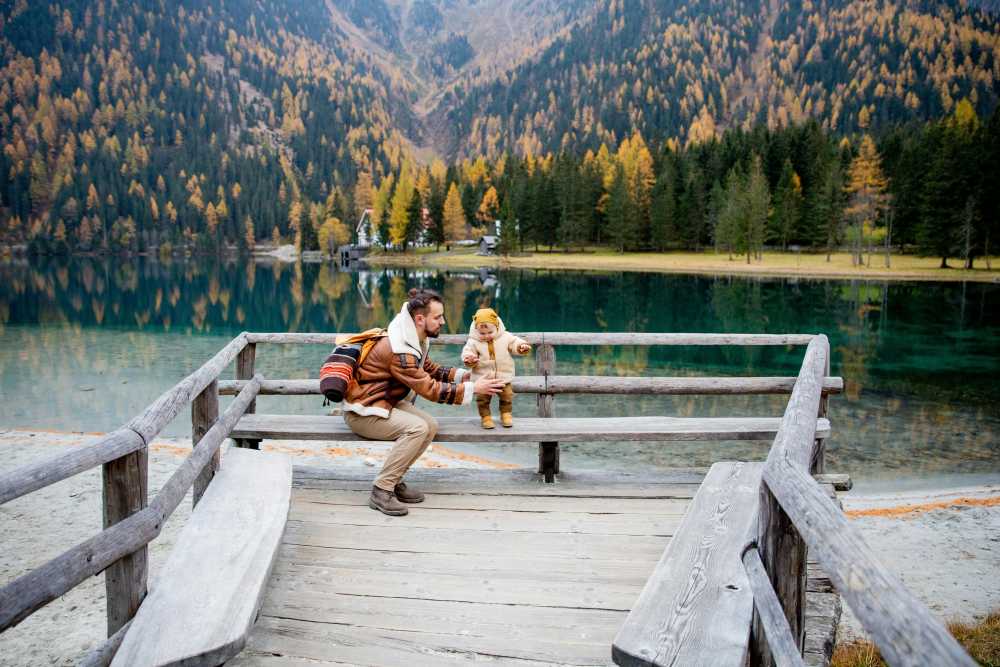
Best For: All ages. The diversity of landscapes makes it a perfect fit for multi-generational trips.
Can't-Miss Activities:
Drive the Park Loop Road: This 27-mile road hits many of the park's highlights, including Sand Beach, Thunder Hole, and Otter Cliff.
Watch the Sunrise from Cadillac Mountain: Be one of the first people in the United States to see the sunrise. Vehicle reservations are now required and must be booked in advance.
Explore the Tide Pools: At low tide, the rocky coastline near Wonderland Trail reveals a fascinating world of sea stars, crabs, and anemones.
Kid-Friendly Hike: The Jordan Pond Path is a 3.3-mile loop around a crystal-clear pond, best capped off with popovers at the Jordan Pond House.
Olympic National Park: A World of Ecosystems

Best For: Families who crave variety and have kids aged 7+. Olympic is like visiting three parks in one.
Can't-Miss Activities:
Explore the Hoh Rainforest: Walk the Hall of Mosses Trail (.8 miles), an easy loop that immerses you in a temperate rainforest dripping with green. It’s pure magic.
Discover Rialto Beach: This is the iconic Pacific Northwest coastline. Explore tide pools, admire giant driftwood, and hike to the Hole-in-the-Wall sea arch (check tide charts!).
Drive to Hurricane Ridge: Ascend nearly a mile in elevation for breathtaking panoramic views of the Olympic Mountains.
Kid-Friendly Hike: Sol Duc Falls Nature Trail is a 1.6-mile roundtrip hike through a stunning old-growth forest to a powerful, picturesque waterfall.
Common Pitfalls and How to Avoid Them
The "Too Much, Too Fast" Itinerary: Don't try to see an entire park in two days. You’ll end up with cranky kids and only see the park through a car window. Embrace a slower pace. For more on this, explore The Sanity-Saving System for Your Next Family Road Trip.
Ignoring the Junior Ranger Program: This is a mistake. The free activity booklets available at any visitor center are the single best way to engage kids aged 5-12. It transforms them from passive passengers into active explorers.
Underestimating Wildlife Safety: Seeing a bear or bison is a thrill, but these are powerful wild animals. Know and respect the rules: stay at least 100 yards from bears and wolves, and 25 yards from all other large animals. Never, ever feed wildlife.
Pro-Tip: Download the official NPS (National Park Service) app before your trip. You can save park maps and content for offline use, a lifesaver in areas with no cell service.
Packing and In-Trip Strategies
Your gear and daily approach can make or break the experience. Focus on comfort, preparedness, and flexibility.
The Essential Family Packing List:

Layered Clothing: Summer weather in the mountains is notoriously unpredictable. Pack lightweight layers—t-shirts, fleeces, and a waterproof rain jacket—for everyone.
Sturdy Footwear: Do not attempt hikes in flip-flops. Everyone needs comfortable, broken-in shoes with good traction.
Sun Protection: The sun is more intense at higher elevations. Bring wide-brimmed hats, sunglasses, and high-SPF sunscreen.
Reusable Water Bottles: Staying hydrated is critical. A large water bladder for each adult and a reusable bottle for each child is a must.
A "Go-Bag" for the Car: Keep a small backpack in the car with essentials: a first-aid kit, endless snacks, binoculars, a physical park map, and wet wipes.
Frequently Asked Questions
What is the best time of year for a national park family vacation?
While summer offers the most accessible weather and open facilities, it's also the most crowded. For fewer crowds and beautiful scenery, consider the "shoulder seasons" of late spring (May-June) and early fall (September-October). Always check specific park conditions, as weather varies greatly by region.
How far in advance should I book lodging for a national park trip?
For popular in-park lodges, you should book 12 months in advance—often the day reservations become available. For campsites, the booking window is typically 6 months in advance. Planning this far ahead is crucial for securing the best locations.
Are national parks a good vacation idea for families with toddlers?
Absolutely! Many parks feature paved, stroller-friendly trails like the Pa'rus Trail in Zion or accessible boardwalks around Yellowstone's geysers. The key is to choose the right activities, keep hikes short, and take advantage of the Junior Ranger programs, which have activities for younger children.
What's the most important thing to pack for a national park trip?
Beyond your camera, the most critical items are layered clothing and proper footwear. Mountain weather can change in an instant, so having layers ensures everyone stays comfortable. Sturdy, broken-in shoes are essential for preventing blisters and navigating uneven trails safely.
Conclusion
The beauty of a national park vacation lies in its simplicity and its power. By investing in careful planning, you are not just organizing a trip; you are building a framework for connection and creating a reservoir of shared memories that your family will draw upon for a lifetime. These family travel ideas for summer are more than just a vacation—they are an investment in your family's story.
So, use this guide to book with confidence, pack with purpose, and get ready to discover the incredible wonders waiting in your own backyard.

Read the full guide: Family Travel Ideas: The 2026 Guide to Unforgettable Trips
Don't Miss Out! Subscribe for Exclusive Content
SubscribeComments 0
No comments yet
Be the first to share your experience!
Dont Miss Out! Subscribe for Exclusive Content

San Francisco Cherry Blossoms: A Local's Guide to the Blooms

Halloween SF: Haunts Without Horrors

SF Festivals: 7 Must-See Lineups

Christmas SF: Lights & Wharf Wonders

SF Pride: 6 Route & Party Hacks

Chinese New Year SF: Parade Essentials
Is Public WiFi Safe? How to Protect Your Data Abroad
TrekGuider @trekguider
You’ve just touched down in a new country, a city buzzing with unfamiliar energy. You’re desperate to check the map to your hotel, message family that you’ve arrived safely, or book that last-minute tour. Then you see it, a digital oasis in the chaos of travel: "Free_Airport_WiFi." It feels like a lifesaver. But the moment you connect to that open network, you might as well be shouting your passwords, credit card numbers, and private messages in the middle of a crowded town square.
This isn’t a hypothetical threat; it’s a silent, digital mugging that happens every single day in airports and cafes around the globe. Every unsecured connection is a wide-open door for digital thieves who are masters at exploiting the trust of travelers. They can intercept your data, steal your identity, and drain your bank account before you’ve even claimed your luggage. This menace can cast a shadow of anxiety over your entire trip, turning a tool of convenience into a source of vulnerability.
But it doesn’t have to be this way. This guide is your solution—a simple, non-technical playbook for protecting your digital life abroad. We will demystify the dangers and provide a clear, step-by-step process for using any public network with total confidence. Mastering public wifi safety is a critical skill for the modern traveler and a key part of the masterclass in preparedness we offer in our definitive guide, The Ultimate Guide to Travel Safety: A 2026 Playbook.

The Hidden Danger: What Really Happens on Public WiFi?
The fundamental problem with most public WiFi networks—in cafes, hotels, airports, and libraries—is that they are unencrypted. Think of it like sending a postcard through the mail. Anyone who handles it along the way can read the message written on the back. When you log into your email or check your bank account on an unencrypted network, your data is sent "in the clear," making it trivially easy for a hacker on the same network to intercept and read it.
These hackers don’t need sophisticated government-level equipment. They use readily available software to "sniff" the digital airwaves, plucking your sensitive information out of the stream of data flowing around them. Their primary method for doing this is a shockingly simple and effective strategy known as a "Man-in-the-Middle" attack.
Understanding the "Man-in-the-Middle" Attack
A "Man-in-the-Middle" (MitM) attack is exactly what it sounds like. A hacker secretly positions their computer between your device (your phone or laptop) and the legitimate internet connection point (the WiFi router). You believe you’re communicating directly and securely with the websites you’re visiting, but in reality, the hacker is intercepting, reading, and potentially even altering every piece of information you send and receive.
The most common way they achieve this is through a tactic called a "malicious hotspot" or "evil twin" attack:
The Setup: A hacker sits in a busy airport or coffee shop and sets up a new WiFi network on their laptop. They give it a believable, trustworthy-sounding name, like "Airport_Guest_WiFi" or "Starbucks_Free," often mimicking the name of the legitimate network.
The Connection: Your phone, set to connect to known networks automatically, might connect to this stronger, malicious signal without you even noticing. Or, you might manually select it, assuming it’s the official network.
The Interception: The moment you connect, all of your internet traffic is routed directly through the hacker's computer. They become an invisible eavesdropper on your digital life, capturing your login credentials when you check Facebook, your credit card details when you buy something online, and the contents of your private messages.
To you, the internet works perfectly. You can browse websites and use your apps as usual. You have no idea that a digital thief is silently recording your every move.

Your Digital Bodyguard: The Ultimate Guide to Using a VPN
If an unencrypted network is like sending a postcard, then using a Virtual Private Network (VPN) is like sealing that same message inside a locked, armored briefcase before sending it. A VPN is the single most powerful and essential tool for ensuring your public wifi safety. In simple terms, a VPN is an app for your phone or computer that creates a secure, encrypted tunnel for all your internet traffic, making your data completely unreadable to anyone who tries to intercept it.
When you connect to a VPN, even if you’re on a hacker’s malicious hotspot, all they can see is a stream of indecipherable gibberish. Your passwords, bank details, and messages are completely shielded from prying eyes.
How to Set Up a VPN on Your Smartphone in 4 Simple Steps
You don’t need to be a tech expert to use a VPN. Modern VPN services are designed to be incredibly user-friendly. Here’s a simple, step-by-step guide for any non-technical traveler.
Step 1: Choose and Subscribe to a VPN Service
Before you travel, you need to sign up for a reputable, subscription-based VPN provider. Do some research by reading reviews from trusted tech websites like Wired or The Verge. Crucially, avoid "free" VPN services. These companies have to make money somehow, and they often do it by logging your online activity, selling your data to advertisers, or, in the worst cases, embedding malware in their own software. A paid subscription to a well-known provider is a small investment for ironclad security.
Step 2: Download and Install the VPN App
Once you’ve created an account on the VPN provider’s website, the next step is to get the app on your phone.
On an iPhone: Go to the App Store, search for the name of your chosen VPN (e.g., NordVPN, ExpressVPN, Surfshark), and tap "Get" to download and install it.
On an Android phone: Go to the Google Play Store, search for the name of your VPN provider, and tap "Install."
Step 3: Log In and Grant Permissions
Open the newly installed app. You’ll be prompted to log in using the email and password you created when you subscribed. The very first time you try to connect, the app will ask for permission to add a VPN configuration to your phone's settings. A standard system pop-up from iOS or Android will appear. You must tap "Allow" or "OK." This is a necessary and safe step that allows the app to manage your phone's internet connection.
Step 4: Connect to a VPN Server
This is the easiest part. Most VPN apps are designed for one-tap simplicity.
The app’s main screen will almost always feature a large "Quick Connect" or "Connect" button. Tapping this will automatically connect you to the fastest or nearest server available. For general security on public WiFi, this is all you need to do.
If you want to appear as if you are browsing from a specific country (useful for accessing home-country content), you can tap on the "Locations" or "Servers" list within the app and select a country to connect through.
Once you tap connect, the app will confirm your "Connected" status, and a small VPN icon will appear in your phone’s status bar at the very top of the screen. That’s it. Your internet connection is now fully encrypted and secure.

Pro-Tip: For travelers who work on the road, like digital nomads or content creators, a VPN isn't just a recommendation—it's an essential business tool. Consistent use is key to protecting client data and financial information. This level of professional-grade security is at the heart of the resources we provide in The Travel Creator's Toolkit.
Are You a Travel Creator or Digital Nomad?
Protecting your data is just the beginning. To thrive on the road, you need the right tools for content creation, productivity, and monetization. Our free toolkit has you covered with expert-vetted recommendations for the apps, gear, and platforms that power a successful location-independent career.
Beyond the VPN: 3 Essential Habits for Ironclad Public WiFi Safety
While a VPN is your star player, a few additional habits will complete your digital defense, creating a multi-layered security strategy that protects you from a wider range of threats.
1. Practice Impeccable Device and Password Hygiene
Your first line of defense is the device itself. Before you leave home, make sure your digital house is in order.
Secure Your Devices: Ensure all your devices—laptop, smartphone, tablet—are updated with the latest operating system and security patches. Lock every single device with a strong, complex passphrase or, even better, biometric protection like a fingerprint or facial recognition.
Manage Passwords Securely: Never store passwords in a plain text file on your device. Use a reputable, cloud-based password manager app to generate and store unique, complex passwords for every account.
Perform a Digital "Clean Up": Before you travel, clear your browser's history, cache, and saved passwords. When you return home, make it a habit to change the passwords for any critical accounts you accessed while you were away, especially banking and email.
2. Avoid "Juice Jacking": The Threat of Public USB Ports
Those convenient USB charging stations you see in airports, cafes, and hotel lobbies are a potential security risk. Hackers can modify these public ports in a practice known as "juice jacking," where the USB connection is used not only to charge your device but also to secretly install malware or steal data from it. The data pins on a USB cable can transmit information while the power pins are charging your device.
The solution is simple and non-negotiable: never plug your device directly into a public USB port. Instead, use your own AC power adapter and plug it into a standard electrical outlet, or carry a portable power bank to recharge your devices safely.

3. Beware of Digital Trojan Horses: Untrusted Accessories
This same principle applies to any untrusted digital accessory. If you find a USB drive left behind in a hotel business center or a cafe, do not plug it into your laptop out of curiosity. Criminals sometimes intentionally leave these "bait" drives in public places, loaded with malware that will auto-install the moment it's connected to a computer. Treat any found accessory as a potential threat.
Pro-Tip: Before you leave, do a digital 'pack-up.' Log out of all non-essential apps on your phone and laptop. This reduces your 'attack surface,' meaning that even if your device is compromised, the hacker has access to far less of your personal data.
Public WiFi Safety FAQs
A prepared mind anticipates questions. Here are expert answers to common concerns about staying safe online while traveling.
1. Is WiFi on a plane or in a reputable hotel safer than in a coffee shop?
Not necessarily. While a hotel network may require a password, that doesn't mean the connection itself is encrypted or secure from other guests on the same network. The rule of thumb is to treat any WiFi network you do not personally own and control as untrusted. The same risks of interception and Man-in-the-Middle attacks can apply anywhere, from a budget hostel to a five-star resort. Always use your VPN.
2. Are "Free VPNs" really that bad?
Yes. A reliable VPN service requires significant infrastructure—servers, software development, and security maintenance—which costs money. If a "free" VPN provider isn't charging you a subscription fee, they are making money from you in other ways. Many have been caught logging user activity, selling browsing data to third parties, or even injecting extra ads into your browsing. In the worst cases, the "free VPN" itself is just a front for harvesting your data. A reputable, paid VPN service is a small investment for a massive gain in privacy and security.
3. Can't I just use my phone's cellular data plan instead?
Yes, and you should when possible. Your phone's 4G or 5G cellular data connection is significantly more secure than public WiFi. However, international data roaming charges can be astronomically expensive. Learning to use public WiFi safely is a crucial skill for budget-conscious travelers who need to stay connected without breaking the bank.

Connect with Confidence
Public WiFi is not inherently evil. It is a powerful tool that has become an indispensable part of modern travel. But like any powerful tool, it demands respect and the right safety equipment. The fear and uncertainty surrounding public wifi safety stem from a lack of knowledge, not from an insurmountable threat.
You now possess that knowledge. By understanding the simple risks and adopting the straightforward solutions—led by your essential VPN—you can transform any public hotspot from a potential liability into a trusted resource. You are now equipped to connect with confidence, anywhere in the world, freeing your mind to focus on the adventure in front of you.
This level of digital preparedness is just one part of a truly seamless travel experience. To master every aspect of your journey, from planning and packing to health and logistics, our all-encompassing Travel Guide is the only resource you'll ever need.
Don't Miss Out! Subscribe for Exclusive Content
SubscribeComments 0
No comments yet
Be the first to share your experience!
Dont Miss Out! Subscribe for Exclusive Content

How to Avoid Travel Scams: A Global Guide

A Woman's Guide to Safe Travel: 10 Critical Tips
7 Hotel Safety & Security Tips for Peace of Mind

9 Beach Safety Tips That Could Save Your Life

How to Stay Safe While Hiking: A Hiker's Safety Guide